
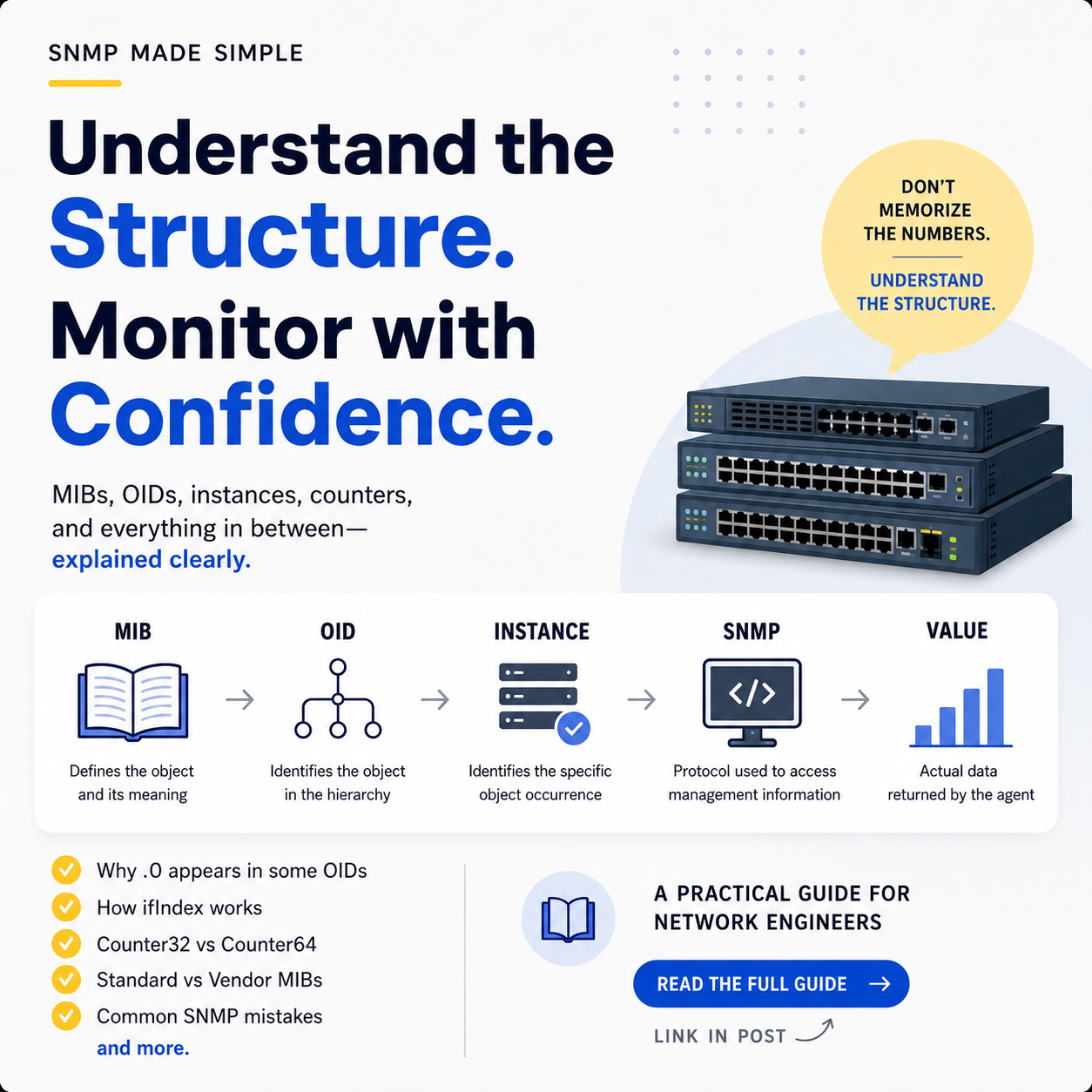
You don’t need to memorize thousands of OIDs to work comfortably with SNMP monitoring.
What you really need is a clear idea of what an OID points to, what the MIB tells you about it, how an object becomes a specific instance, and what the value returned by the device actually means.
Take a simple monitoring requirement: “I need to monitor the traffic coming into this switch interface.” On the monitoring dashboard, that sounds easy. You might see a graph called Inbound Traffic and move on.
But underneath that graph, the monitoring system has to figure out exactly what information to ask the device for, where that information is defined, which interface it belongs to, and how the returned value should be interpreted.
That’s where SNMP, MIBs, and OIDs come in.
You’ll probably run into values like:
1.3.6.1.2.1.1.3.0Or a name such as:
sysUpTime.0At first, these identifiers can look completely random but they’re not. There is a structure behind them, and once you understand that structure, SNMP becomes much easier to troubleshoot and work with.
What Is a MIB?
MIB stands for Management Information Base.
One of the first mistakes people make is thinking a MIB is a database that stores the current values of a router or switch.
In SNMP, management information is organized around managed objects. MIB modules define those objects using the Structure of Management Information (SMI). A MIB definition tells you what an object is, what its value means, what type of data it contains, how it can be accessed, and how it fits into a table when applicable.
I like to think of a MIB as a technical dictionary for network management information.
For example, a MIB definition might tell you that this object represents the total number of octets received on an interface. It however can also tell you things such as:
- the object’s name
- its OID
- its data type
- whether it is read-only or writable
- whether it belongs to a table
- how table entries are indexed
- what the returned value actually represents
The important part is that the MIB isn’t holding the live value. The actual value comes from the SNMP agent running on the network device.
So keep this distinction straight: MIB definitions describe the management information. SNMP retrieves or changes accessible object instances.
What Is an OID?
OID stands for Object Identifier. An OID is the identifier used to locate an object inside the hierarchical naming system used by SNMP and SMI.
A typical OID looks like this:
1.3.6.1.2.1.1.3It may look like a random series of numbers at first, but each part represents a level in a hierarchy. A simplified view of part of the tree looks something like this:
1
└── 3
    └── 6
        └── 1
            └── 2
                └── 1
                    └── ...
For example, the standard SNMP management subtree includes:
1.3.6.1.2.1The enterprise subtree begins at:
1.3.6.1.4.1That enterprise branch is associated with IANA-assigned Private Enterprise Numbers (PENs), which organizations can use for their own enterprise-specific OID branches. That’s why vendor MIBs can contain objects you won’t find in standard MIB modules. But there’s an important detail here.
The OID tells you where an object exists in the hierarchy. It doesn’t tell you everything about what that object means.
For that, you need the MIB definition.
MIB vs OID: What’s the Difference?
This gets confusing pretty quickly if the terms are used interchangeably.
The easiest way I know to separate them is:
| Concept | Purpose | Example |
|---|---|---|
| MIB | Defines management information | A MIB module describing interface objects |
| Object name | Human-readable name for an object | sysUpTime |
| OID | Numeric identifier of the object | 1.3.6.1.2.1.1.3 |
| Object instance | Identifies a specific instance | 1.3.6.1.2.1.1.3.0 |
| Value | Actual data returned for that instance | A TimeTicks value |
A useful mental model is:
- MIB = definition
- OID = identifier
- SNMP = protocol used to access the management information
How Do MIBs, OIDs, and SNMP Work Together?
Let’s use a simple example.
Suppose you want to know how long a network device has been running.
The relevant object is:
sysUpTimeIts object identifier is:
1.3.6.1.2.1.1.3But when an SNMP manager actually accesses the object, it normally works with an object instance, not just the object definition.
For this scalar object, the instance is:
1.3.6.1.2.1.1.3.0The SNMP manager can then request that instance from the device’s SNMP agent, and the agent returns the corresponding value. This is one reason engineers sometimes get confused when they find an OID in documentation and then see that the actual query needs one more number at the end.
Why Does .0 Appear at the End of Some OIDs?
You may have seen:
sysUpTime
1.3.6.1.2.1.1.3
and then encountered:
1.3.6.1.2.1.1.3.0So where did that extra .0 come from? It has to do with scalar object instances. For a leaf object that isn’t a column in a conceptual table, SMIv2 specifies that the object instance is identified by appending a final sub-identifier of zero.
So:
Object:
1.3.6.1.2.1.1.3

Instance:
1.3.6.1.2.1.1.3.0
The important thing to remember is: .0 is used for the instance identification of a scalar object.
Table objects work differently because they need an index to identify the specific row and that’s exactly what happens with interface statistics.
OIDs and Tables: Where the Interface Index Comes From
A network device usually has more than one interface. A router might have a few dozen. A large switch can have hundreds. So how can one object represent interface information for all of them?
SNMP commonly handles this through conceptual tables.
The standard IF-MIB, defined in RFC 2863, contains the Interfaces Group MIB. Its interface table uses ifIndex to identify individual interface entries.
For example:
ifIndex = 5means the device has an interface entry identified by index 5. It does not necessarily mean physical port number 5.
That’s a distinction worth remembering. ifIndex identifies an interface entry in the MIB; it isn’t simply a friendly port number.
Now look at an interface traffic counter.
The IF-MIB defines:
ifHCInOctetsas a Counter64 representing the total number of octets received on an interface.
Its object identifier is:
1.3.6.1.2.1.31.1.1.1.6Because this is a table object, you need the relevant interface index to identify the specific instance.
So if:
ifIndex = 5
the instance can be represented as:
1.3.6.1.2.1.31.1.1.1.6.5
That final .5 is the table index in this example. This is a different pattern from the .0 used with a scalar object.
A Practical Example: Finding Interface Traffic
Let’s say the requirement is:
“Show me the inbound traffic on interface 5.”
I wouldn’t start by looking for an OID and hoping it represents bandwidth. I’d work backwards from the metric I actually need.
- Step 1: Identify the information required
- Step 2: Find the appropriate MIB objec
- Step 3: Read the object’s definition
- Step 4: Identify the interface
- Step 5: Build the object instance
- Step 6: Query it through SNMP
Standard MIBs vs Vendor MIBs
Not every useful network statistic is defined in one standard MIB.
Standard MIB modules cover management information that can be applied broadly. IF-MIB is a good example because it provides standardized interface information.
Vendors can also create their own enterprise-specific MIB modules. These objects generally live under:
1.3.6.1.4.1This is the enterprise subtree associated with IANA-assigned Private Enterprise Numbers. Vendor MIBs are useful for information that is specific to a particular platform, hardware design, or proprietary feature. That could include hardware sensors, environmental readings, specialized interfaces, or other vendor-specific information.
But there’s one thing to keep in mind:
A standard MIB does not guarantee that every device implements every object. The SNMP agent on the actual device still needs to support the object.So an OID being valid on paper doesn’t automatically mean you’ll get a value from every device.
How Do Network Engineers Find the Right OID?
When someone asks, “What’s the OID for this metric?”, guessing shouldn’t be the first step.
A better approach is:
1. Identify the metric
- What exactly are you trying to monitor?
- CPU? Interface octets? Temperature? Memory? Packet errors?
2. Check the standard MIBs
- See whether a standard MIB already defines the information you need.
3. Check the vendor documentation
- If the information is vendor-specific, find the appropriate vendor MIB.
4. Read the object definition
- Check the description, syntax, access level, and indexing rules.
5. Determine whether it is scalar or tabular
- A scalar object may require
.0. - A table object usually needs an instance index.
6. Verify the actual device
- Even if an OID is valid according to the MIB, the device may not implement it.
7. Test the object
- Tools such as
snmpget,snmpwalk, or equivalent monitoring utilities can help verify what the SNMP agent actually returns.
What If an OID Does Not Return a Value?
Sometimes you find what looks like the correct OID and still don’t get the value you expected.
SNMP defines exceptions such as:
noSuchObject
noSuchInstance
endOfMibView
These don’t all mean the same thing.
The problem could be:
- the object isn’t implemented
- the requested instance doesn’t exist
- the table index is wrong
- the object is outside the accessible SNMP view
- the wrong MIB or software-specific definition was used
- the query doesn’t identify a valid object instance
So troubleshooting an OID isn’t simply about checking whether the number is correct.You also have to understand the object’s structure, the instance you’re querying, and what the device actually supports.
A Simple Mental Model for MIBs and OIDs
When SNMP starts getting confusing, I come back to these five pieces:
MIB
↓
Defines the object and its meaning

OID
↓
Identifies the object in the hierarchy

Instance
↓
Identifies the specific object occurrence

SNMP
↓
Provides operations to access management information

Value
↓
The actual data returned by the agent
For a scalar:
sysUpTime
    ↓
1.3.6.1.2.1.1.3
    ↓
1.3.6.1.2.1.1.3.0
    ↓
actual TimeTicks value
For an interface table object:
ifHCInOctets
    ↓
1.3.6.1.2.1.31.1.1.1.6
    ↓
interface index = 5
    ↓
1.3.6.1.2.1.31.1.1.1.6.5
    ↓
actual Counter64 value
That’s the pattern I would focus on.
Once you see how the pieces connect, those long numeric OIDs stop looking quite so mysterious.
Best Practices for Working With MIBs and OIDs
A few habits make SNMP work much easier.
Read the MIB definition.
Don’t rely only on a numeric OID copied from somewhere online.
Understand the data type.
A counter, gauge, timestamp, string, and integer don’t all mean the same thing.
Know whether the object is scalar or tabular.
That tells you how the instance is identified.
Understand the table index.
For interface monitoring, know what ifIndex represents before constructing instance OIDs.
Verify support on the actual device.
A standardized MIB doesn’t mean every device implements every object.
Account for counter discontinuities.
This matters especially when calculating traffic rates from interface counters.
Keep vendor MIBs organized.
Vendor-specific definitions and version differences can matter when you’re troubleshooting.
Monitor with a purpose.
Choose objects based on the operational questions they help you answer.
That’s a much better approach than building a giant collection of OIDs and figuring out what to do with the data later.
Conclusion
MIBs and OIDs can look complicated at first because the identifiers are long and the terminology takes some getting used to.
The underlying structure is fairly straightforward once you separate the pieces.
A MIB module defines management objects and explains what they mean.
An OID identifies an object within the hierarchical namespace.
An object instance identifies the specific occurrence being accessed.
And SNMP provides the operations used to retrieve or modify accessible management information.
This distinction becomes especially useful when you’re working with scalar objects, interface tables, vendor-specific MIBs, and traffic counters.
You also don’t need to memorize thousands of OIDs.
What matters more is being able to move from a monitoring requirement to the right MIB definition, then from that definition to the correct object instance, and finally to an accurate interpretation of the returned value.
That’s the part that actually makes you better at working with SNMP.
Don’t memorize the numbers. Understand the structure behind them.

Leave a Reply