
It usually starts with a simple complaint: “The network is slow.”
Users in a branch office report that applications are taking longer to load. A video call keeps dropping. A server is reachable, but response times are poor. The help desk starts receiving tickets, and the IT team needs to figure out what changed. The problem is that “the network is slow” does not tell you much.
The cause could be a congested WAN link, packet loss, interface errors, high device utilization, a routing problem, or an issue somewhere outside the network altogether.
This is where network monitoring becomes valuable.
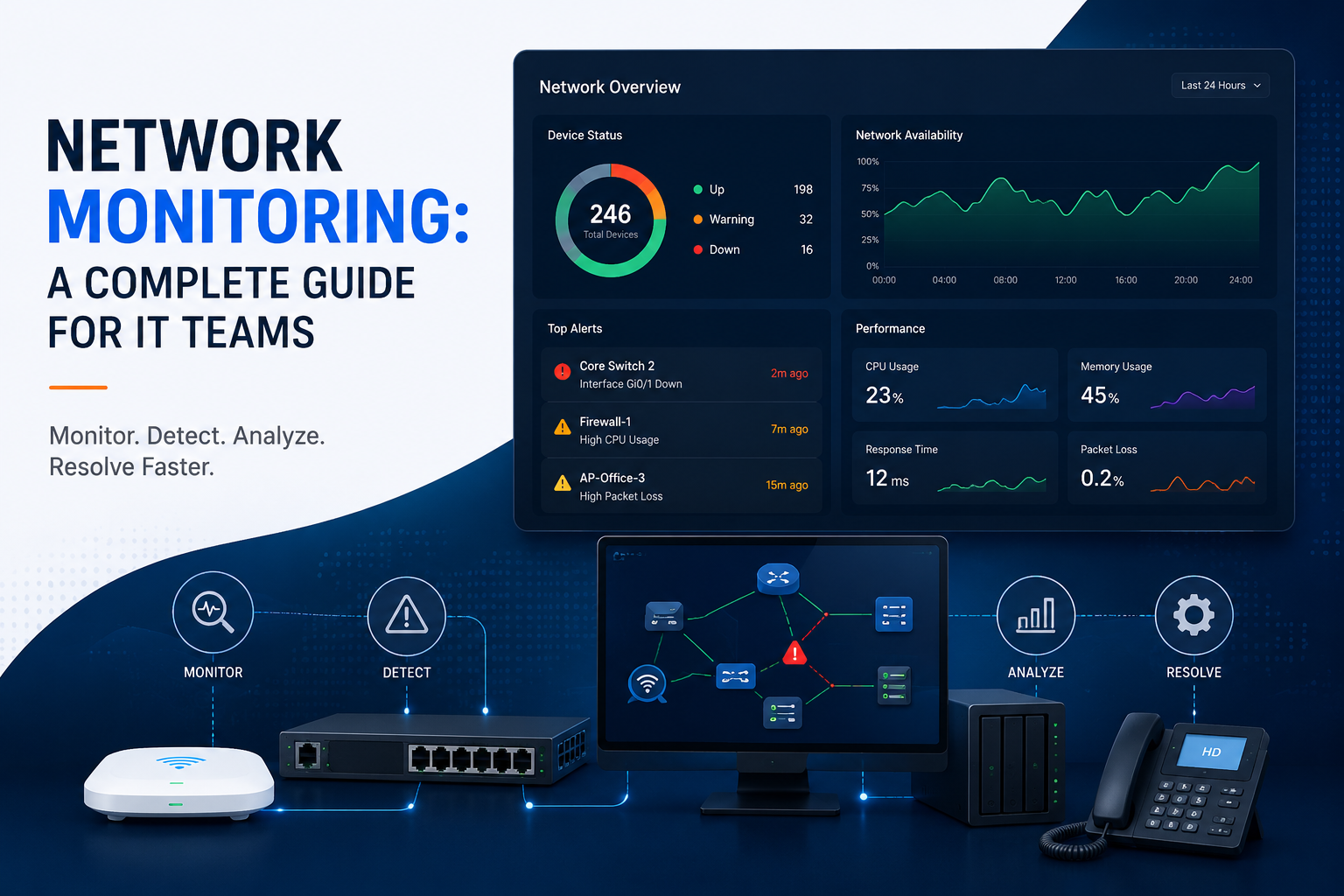
Network monitoring gives IT teams visibility into the health, availability, and performance of their infrastructure. Instead of waiting for users to report a problem, engineers can see changes as they happen, investigate abnormal behavior, and identify trends before they become bigger incidents.
Monitoring tells you what is happening. Network management allows you to do something about it.
What Is Network Monitoring?
Network monitoring is the continuous process of collecting, analyzing, and presenting information about network devices, connections, systems, and performance. A typical network monitoring environment can include routers, switches, firewalls, wireless infrastructure, servers, WAN links, and other components.
The monitoring system collects data from these devices and turns it into information that an IT team can act on. That information may appear as dashboards, alerts, historical graphs, reports, logs, or performance trends. For a network engineer, the real value is not the data itself. It is the ability to answer useful questions:
- Is a device available?
- Is a link becoming congested?
- Has latency increased?
- Is packet loss occurring?
- Is a device running out of CPU or memory?
- Has traffic behavior changed?
- When did the problem start?
The answer to these questions make troubleshooting easier.
Without historical information, an engineer may have to rely on assumptions and whatever the network looks like at the moment. With historical data, the team can compare the current state with a known baseline and identify when behavior started to change.
What Does Network Monitoring Track?
To monitor you networks, you measure many things such as
Availability and uptime show whether a device, link, or service is reachable. This is the most basic form of monitoring, but it remains fundamental. A device can have perfect performance metrics right up until it becomes unavailable.
Latency measures the time it takes traffic to travel between points. A sudden increase can indicate congestion, routing changes, or other connectivity problems.
Packet loss shows whether packets are failing to reach their destination. Even when a link remains technically available, packet loss can cause slow applications, poor voice quality, and unstable remote sessions.
Bandwidth utilization indicates how much capacity a connection is using. A link consistently operating near capacity may become a bottleneck, especially when traffic suddenly increases.
CPU and memory utilization help identify overloaded devices and systems. High resource usage is not automatically a problem, but sustained or unusual levels can indicate that something needs investigation.
Interface errors can point to physical, configuration, or link-level problems. Rising error counts can be an early warning sign even before users notice an outage.
Traffic patterns provide context. Understanding how traffic changes over time can help identify unusual activity, capacity issues, and changes in network behavior.
Logs and events add another layer of information. Metrics can show that something changed, while events may help explain what happened around the same time.
How Does Network Monitoring Work?
The basic network monitoring process is straightforward:
Collect data → analyze it → detect unusual behavior → alert the team → investigate and respond
SNMP is commonly used to gather information from network devices. Flow data can provide visibility into traffic patterns and conversations. Logs capture events generated by devices and systems. Modern telemetry and APIs can provide more detailed information and, in some environments, more frequent updates.
The monitoring platform collects this information and evaluates it against thresholds, baselines, or predefined conditions.
For example, an alert might be generated when a device becomes unreachable. Another could trigger when packet loss crosses a defined threshold. A monitoring system might also identify a longer-term trend, such as a WAN connection that is gradually approaching its available capacity. The important part is what happens after collection.
Raw telemetry only becomes useful when it helps an engineer understand what is happening and decide what to investigate.
What Should IT Teams Monitor and how?
We can monitor almost anything related to the device with NMS, however more data does not automatically mean better visibility. The goal is to monitor information that helps the IT team make decisions.
Availability
Start with critical infrastructure. Routers, switches, firewalls, servers, important links, and critical services should be monitored for availability. An outage should be detected quickly rather than discovered through a user complaint.
Performance
This is where network performance monitoring becomes important. Latency, packet loss, bandwidth utilization, response time, CPU, memory, and interface health help identify degradation that a basic uptime check will miss. For example, a WAN link might still be up but experiencing enough packet loss to affect users. Monitoring performance helps catch that difference.
Capacity and Trends
Historical data can show whether bandwidth usage, device resources, or traffic volumes are steadily increasing. This helps teams spot capacity problems before they become outages.
Events and Logs
Metrics tell you what happened. Logs and events can provide additional context. A device restart, interface change, configuration event, or other system event may explain why a performance metric suddenly changed.
Alerts
Alerts need to be actionable. If every small fluctuation creates a notification, engineers can quickly end up with alert fatigue. The goal is not to generate as many alerts as possible. It is to generate alerts that deserve attention.
Network Monitoring vs. Network Management
People often confuse network monitoring and network management because the two work closely together.
In simple terms:
Network monitoring = seeing and detecting what’s happening.
Network management = taking action to control and fix it.
For example, monitoring may alert you that a switch interface has errors, while management involves investigating the cause and fixing the issue.
| Area | Network Monitoring | Network Management |
|---|---|---|
| Primary purpose | Understand network health and behavior | Control, maintain, and improve the network |
| Main focus | Visibility and detection | Action and remediation |
| Typical activities | Collect metrics, monitor availability, analyze trends, generate alerts | Configure devices, troubleshoot, maintain infrastructure, apply changes |
| Data | Metrics, logs, events, flow data, performance history | Configuration data, device state, policies, operational data |
| Alerts | Detect conditions that need attention | Respond to those conditions |
| Configuration | Observes configuration and state | Changes and maintains configuration |
| Troubleshooting | Provides evidence and context | Investigates and applies corrective action |
| Automation | Detection, alerting, reporting | Configuration workflows and remediation |
| Example | Detecting high WAN utilization | Adjusting traffic handling or increasing capacity |
| Main users | NOC and infrastructure teams | Network engineers and administrators |
Why Network Monitoring Alone Isn’t Enough?
Suppose a switch interface suddenly starts reporting errors. The monitoring system detects the condition and alerts the network team.That is useful, but the problem still exists.
An alert does not repair a faulty interface. It does not fix a routing issue. It does not increase the capacity of an overloaded WAN connection. Monitoring gives the team visibility and evidence.
Someone still has to investigate and decide what action is appropriate.This is why detection and remediation should be treated as separate parts of the operational process.
Why Network Management Without Monitoring Is Difficult
The opposite situation creates another problem.
An engineer can make configuration changes without having reliable information about the actual state of the network. A change that looks correct in theory may have unexpected effects in production.
Without monitoring, the team may struggle to determine whether a change improved performance, had no effect, or introduced a new problem.
Monitoring provides the feedback loop.
Change something → observe the result → verify the outcome.
That feedback makes network management much more effective.
How Monitoring and Management Work Together
A practical IT operations cycle looks like this:
Monitor → Detect → Investigate → Manage/Remediate → Verify → Monitor again
This relationship is important because network environments constantly change. Traffic patterns shift. New applications are introduced. Capacity requirements grow. Devices fail. Configurations change. After a remediation step, monitoring should confirm that the expected result actually occurred.
This is also where automation can be useful. Predictable, low-risk responses may be automated, while situations requiring investigation and judgment should remain under appropriate human control.
A Practical Network Monitoring Example
Imagine employees at a branch office start reporting that cloud applications are unusually slow. The first assumption might be that the application itself is having problems. The network team checks its monitoring data and sees that WAN latency has increased. Packet loss is also higher than normal.
Historical data shows that both changes began around the same time the complaints started. That gives the team a much stronger starting point.
Instead of broadly investigating the application, engineers can focus on the network path and examine routing, interface health, capacity, and configuration.
Suppose the investigation identifies a WAN-related problem. Network management capabilities can then be used to apply the appropriate fix, whether that means correcting a configuration, changing routing, increasing capacity, or addressing a faulty component.
Afterward, monitoring verifies whether latency and packet loss have returned to normal. This example shows why the two capabilities complement each other.
Network Monitoring vs. Observability
Network monitoring is sometimes used interchangeably with observability, but the concepts are broader and narrower in different ways.
Monitoring generally focuses on known metrics and conditions that help teams determine whether systems are operating as expected.
Observability is a broader approach to understanding system behavior from the information that systems produce.
For example, monitoring may show that network latency has increased. A broader observability setup may help connect that symptom to an application, service dependency, or infrastructure component.
The practical takeaway is simple: choose the level of visibility that matches the problem you are trying to solve. Collecting more telemetry is not automatically the same as gaining more useful insight.
Building a Practical Network Monitoring Strategy
The best network monitoring software for one organization may not be the right choice for another.
A small IT team may primarily need device availability, performance data, alerts, and basic historical reporting. A larger environment may require deeper network infrastructure monitoring, traffic analysis, centralized dashboards, event correlation, and automation.
Regardless of scale, a practical strategy should answer a few questions:
- What infrastructure is most important?
- Which metrics indicate actual health or degradation?
- What should trigger an alert?
- Who needs to respond?
- How will engineers investigate the issue?
- How will the team verify that the problem has been resolved?
Answering these questions keeps monitoring focused on operational outcomes rather than simply accumulating data.
Conclusion
Network monitoring and network management are closely related, but they solve different problems.
Network monitoring provides visibility. Network management provides control and action.
Monitoring helps IT teams understand availability, performance, traffic, resource usage, events, and trends. It provides the information engineers need to detect problems and investigate them.
Network management turns that information into action by configuring infrastructure, troubleshooting issues, maintaining devices, applying changes, and resolving problems.
A strong network operations strategy needs both that means building a continuous operational loop:
Monitor → Detect → Investigate → Remediate → Verify → Monitor again.
That is the real value of network monitoring: not simply knowing that something is wrong, but giving the IT team the visibility needed to understand the problem and act on it.

Leave a Reply